Setting conditions for a rule
Conditions determine when your automation rule triggers.
How to set a condition
-
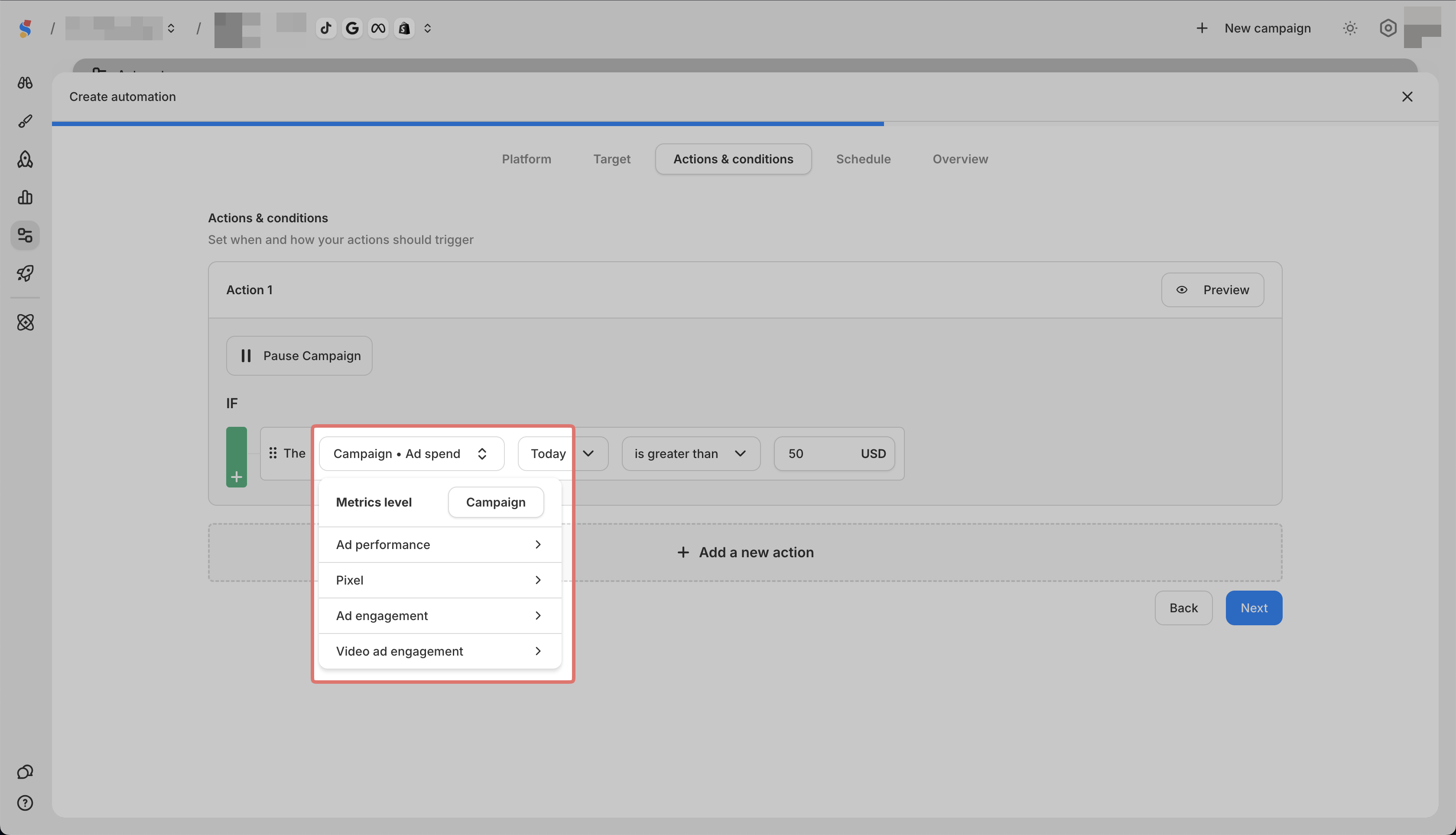
Select a metric
-
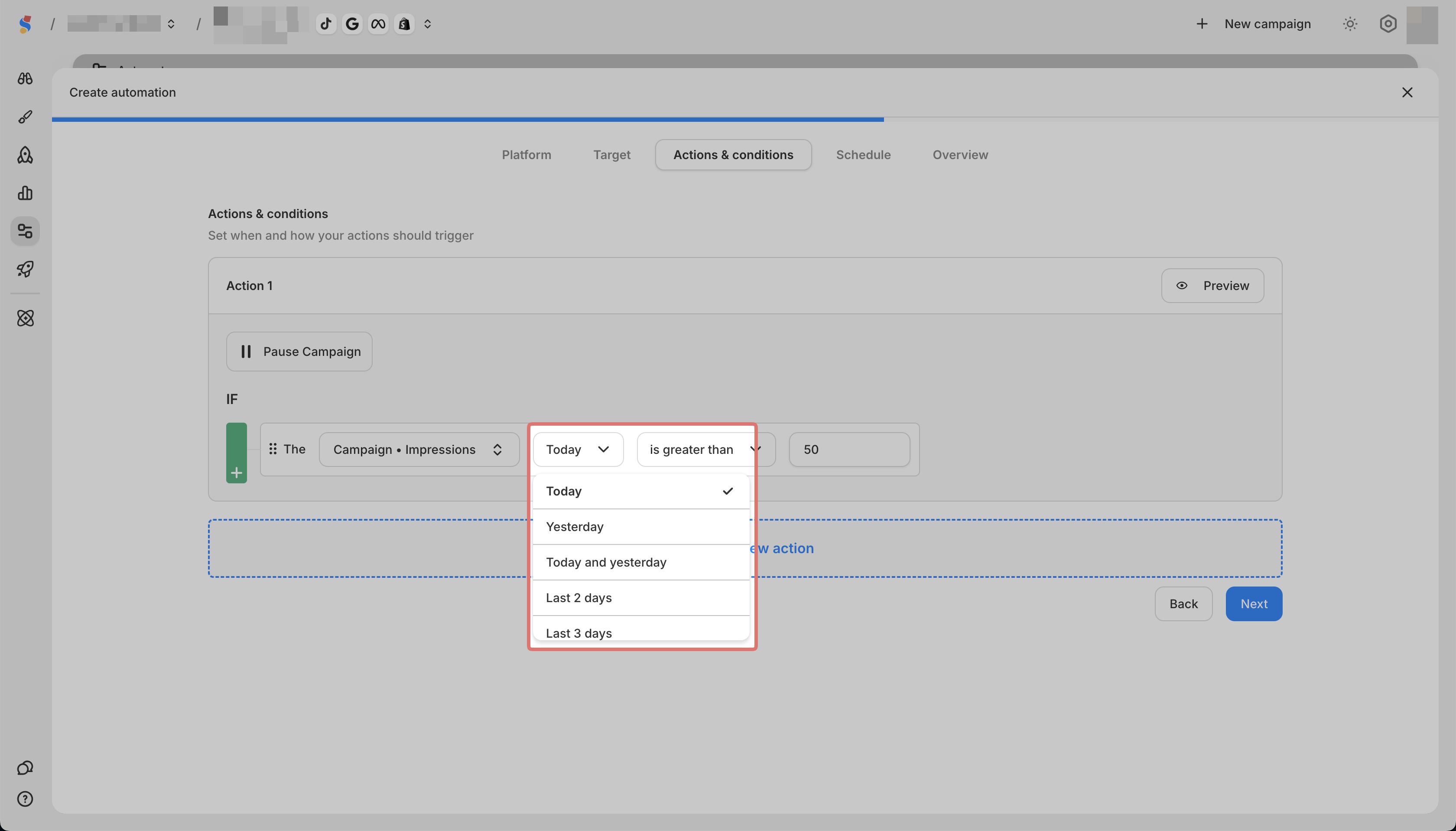
Select a time frame
-
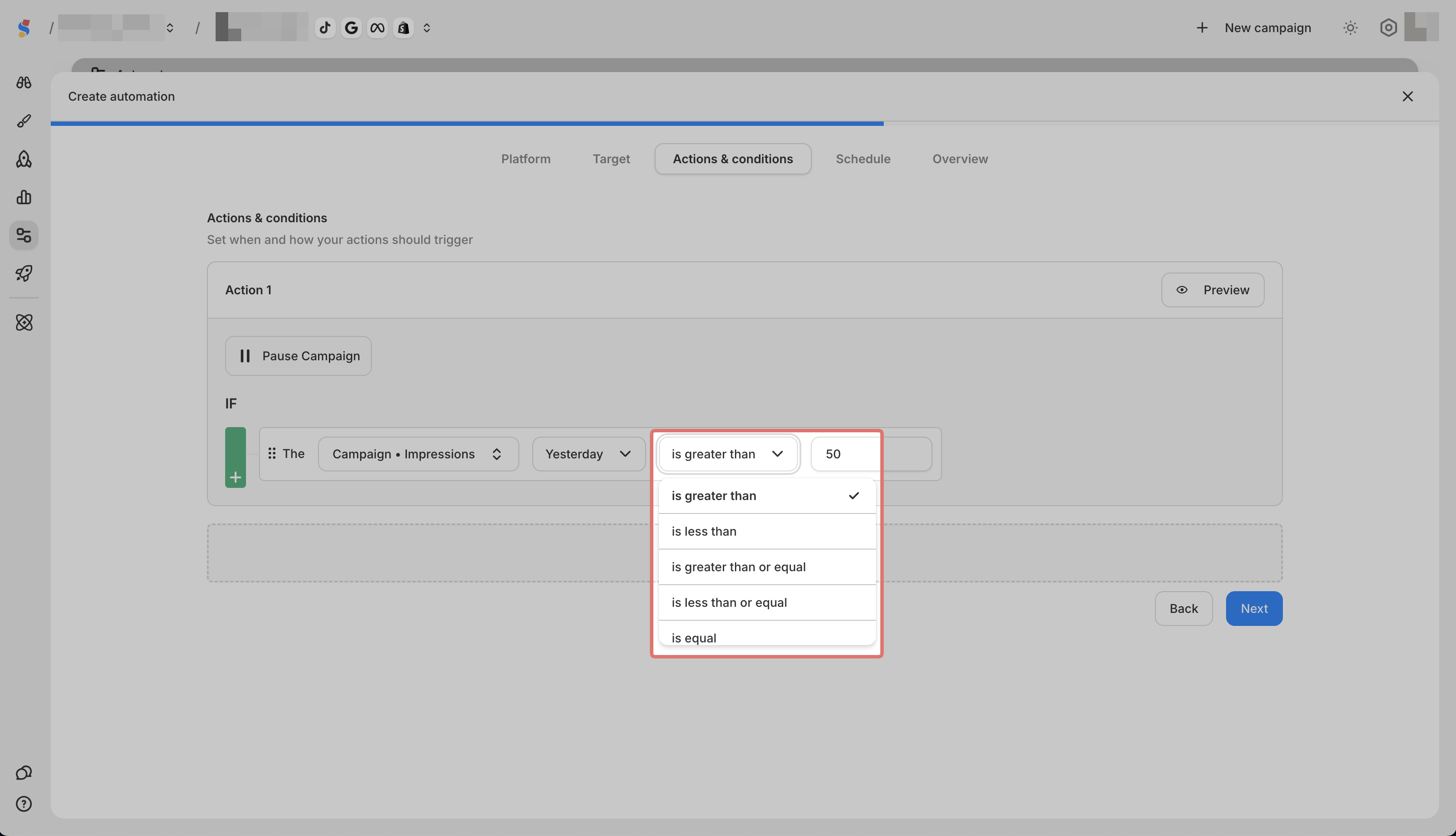
Select a comparison (greater than, less than, equal to, etc.)
-
Enter a value

Available metrics
You can use any of these metric categories:
-
Performance metrics like Ad Spend, CPA, ROAS, Link Clicks, CPC, CTR, CPM
-
Pixel events like Purchases, Add to Cart, View Content, Leads, Registrations
-
Engagement metrics like Post Reactions, Comments, Saves, Shares
-
Video metrics like Thruplay, 2/3/10 Second Plays, Video Plays at 25/50/75/95/100%
Available time frames
-
Today
-
Yesterday
-
Today and Yesterday
-
Last 2, 3, 7, 14, or 30 days
-
Last 2, 3, 7, 14, or 30 days (including today)
-
Lifetime
-
Custom
Example condition
"If CPA (Cost Per Acquisition) over the last 7 days is greater than $15"